The thought of switching software strikes fear into agency owners. But staying stuck costs more in the long run. Here's the exact 8-step process for a safe, complete migration.
S
SimpTrav
October 5, 2025
Share:
The thought of switching travel agency software strikes fear into even the most tech-savvy owner. Years of customer data, booking history, supplier relationships—all at risk if something goes wrong. But staying stuck with outdated or inefficient software costs you far more in the long run. Here's exactly how to migrate safely, completely, and without losing your mind.
Why Migration Fear Is Real (But Manageable)
Let's acknowledge the fear upfront. You're not being paranoid—data migration can go wrong. Agencies have lost customer records, corrupted booking histories, and spent weeks untangling messes caused by rushed migrations.
But here's what those horror stories have in common: they skipped the planning. A well-planned migration is actually straightforward. The agencies that struggle are the ones who tried to do it over a weekend without a proper process.
This guide gives you that process—the same one used by hundreds of agencies who've successfully migrated without losing a single customer record.
Phase 1: Planning Your Migration (Weeks 1-2)
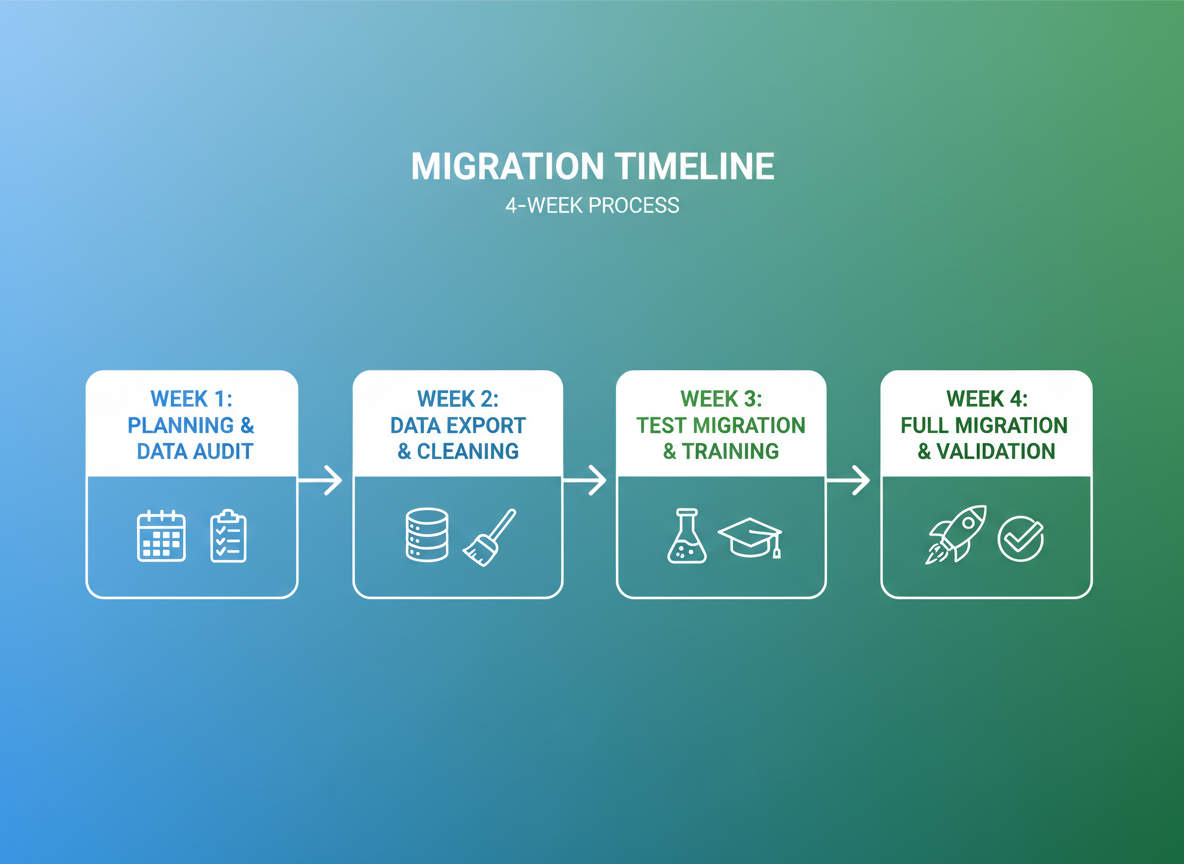
A typical migration takes 4 weeks when properly planned
Step 1: Audit Your Current Data
Before you move anything, you need to know exactly what you have. Create an inventory of:
Customer records: How many contacts? What fields do you use? Are there duplicates?
Booking history: How far back? What detail level do you need to preserve?
Documents: Quotes, invoices, contracts, travel documents—where do they live?
Financial records: Payment history, outstanding balances, commission records
Email history: Do you need to migrate email conversations?
Pro tip: This audit often reveals you have more junk data than you realised. Migration is the perfect time to clean house—don't migrate data you don't need.
Step 2: Map Your Data Fields
Your old system and new system won't have identical fields. Create a mapping document showing:
Which fields in the old system correspond to which fields in the new system
Fields that exist in your old system but not the new (do you need them?)
New fields in the target system you want to start using
Data that needs transformation (date formats, currency codes, status values)
Step 3: Back Up Everything
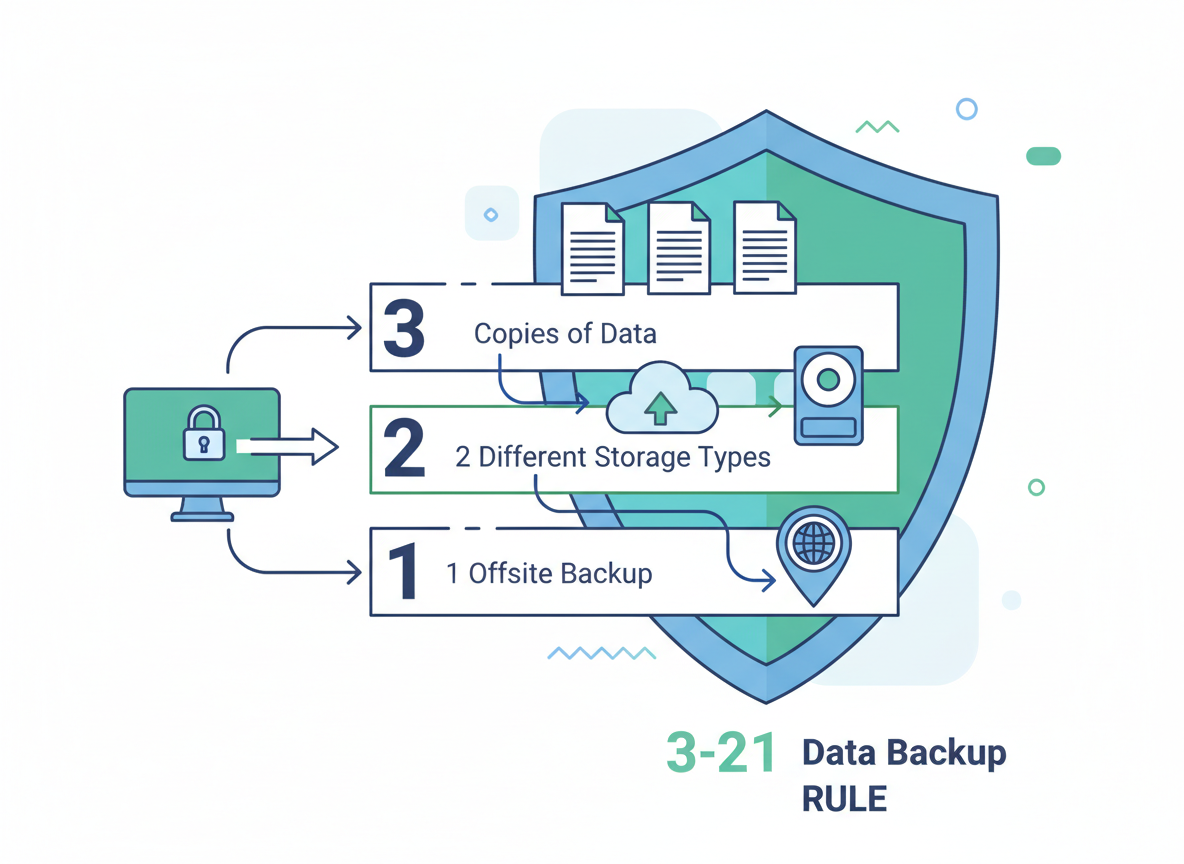
Multiple backups are your safety net—never skip this step
This is non-negotiable. Before any migration begins:
Full database backup from your current system
Export all data to CSV/Excel as a secondary backup
Download all documents to local storage
Screenshot your current setup (dashboards, workflows, settings)
Store backups in at least two locations. If your current provider shuts off access post-migration (some do), you need independent copies.
Phase 2: The 8-Step Migration Process (Week 3)
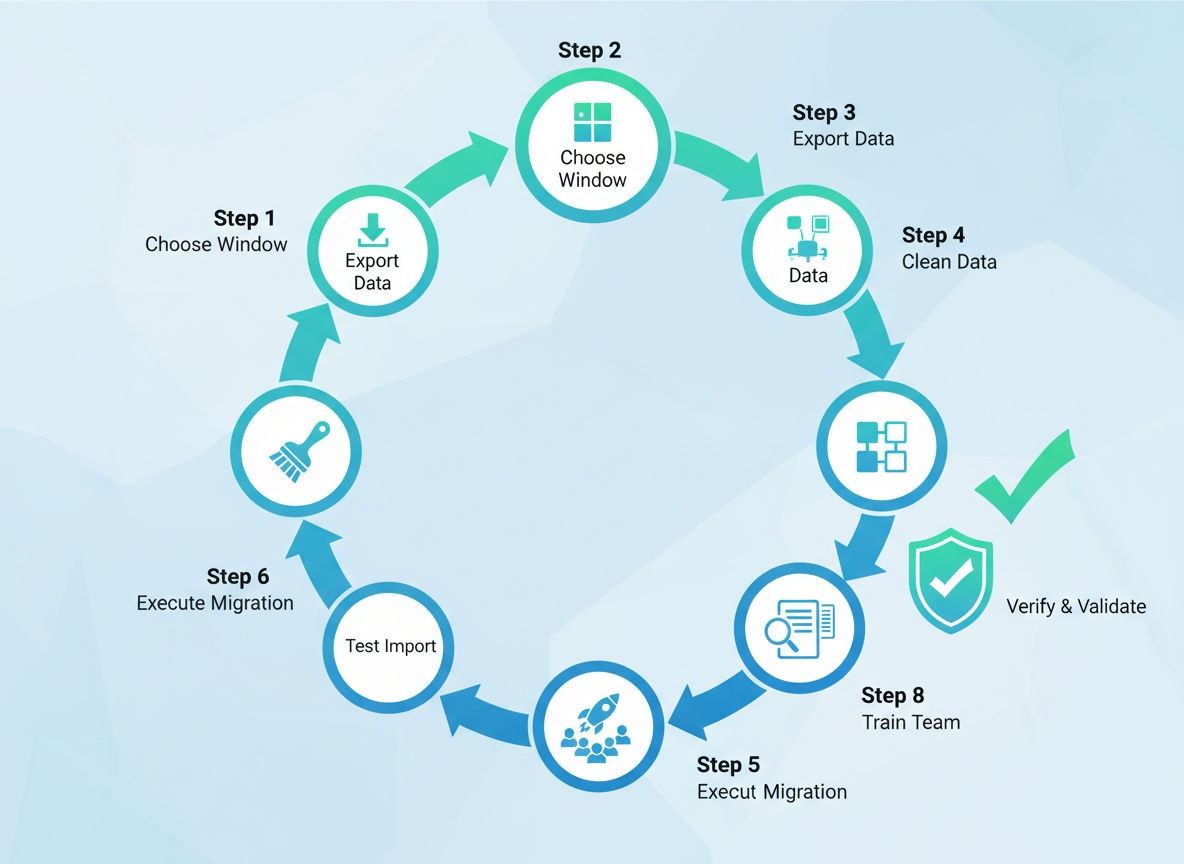
Follow these 8 steps for a smooth, complete migration
Step 1: Export Your Data
Most systems allow CSV or Excel exports. Export each data type separately: customers, bookings, suppliers, transactions. Check the export is complete—row counts should match your records.
Step 2: Clean and Prepare
Before importing, clean your data:
Remove duplicate records
Fix obvious errors (typos in emails, invalid phone numbers)
Standardise formats (dates, currencies, country codes)
Remove test records and junk data
Map values to the new system's format
Step 3: Test Import (Small Batch)
Never import everything at once. Start with a small test batch—perhaps 50-100 records. Verify:
All fields mapped correctly
No data truncation or corruption
Relationships preserved (customers linked to bookings)
Special characters handled properly
Step 4: Verify Sample Records
Manually check 10-20 records in detail. Compare the original data to what's now in the new system. Look for missing information, formatting issues, or broken relationships.
Step 5: Full Import
Once testing passes, import the complete dataset. Do this during off-hours if possible. Keep your old system running in parallel—don't shut it down yet.
Migration is a team effort—involve key staff in verification
Step 6: Document Migration
Upload all your documents to the new system. Organise them as you go—this is a chance to establish a proper filing structure. Link documents to the relevant customers and bookings.
Step 7: User Setup
Create user accounts for your team. Configure permissions appropriately. Set up email integrations, calendar syncs, and any personal preferences.
Step 8: Integration Configuration
Connect your payment gateways, email systems, accounting software, and any other integrations. Test each one before go-live.
Phase 3: Go-Live and Parallel Running (Week 4)
The Parallel Running Period
Don't switch off your old system immediately. Run both systems in parallel for at least one week:
Enter new bookings in the new system only
Keep the old system available for reference
Verify critical workflows work correctly
Address any issues that emerge with real usage
Critical: Don't update data in both systems during parallel running—you'll create sync nightmares. The old system is read-only; all new work happens in the new system.
Training Your Team
Schedule training sessions before go-live. Focus on:
After a successful parallel period, make the new system official:
Communicate the change to your team
Update any documentation or procedures
Archive (don't delete) your old system access
Celebrate the successful migration!
Common Migration Pitfalls (And How to Avoid Them)
Pitfall: Rushing the timeline
Allow 4 weeks minimum. Agencies that try to migrate in a weekend almost always have problems.
Pitfall: No testing phase
Always do a test import first. Finding problems with 50 records is easy; finding them with 50,000 is a nightmare.
Pitfall: Migrating during peak season
Choose your slowest period. January-February is ideal for most agencies.
Pitfall: No rollback plan
Know how you'll recover if something goes catastrophically wrong. Those backups aren't optional.
Pitfall: Forgetting about integrations
Payment gateways, email, accounting—test every integration before go-live.
The Reward: A Fresh Start
A successful migration sets your agency up for years of improved efficiency
Yes, migration requires effort. But the agencies who've done it consistently say the same thing: "We should have done it sooner."
A successful migration gives you:
Clean, organised data — no more duplicates and outdated records
Modern tools — features that actually help you work faster
Fresh start — properly configured workflows and processes
Future-proofing — a platform that will grow with your business
The pain of migration lasts weeks. The pain of staying on outdated software lasts years.
Ready to Migrate to SimpTrav?
Our migration team has helped hundreds of travel agencies move their data safely. We provide data import tools, dedicated migration support, and a proven process that protects your business.
We use cookies to enhance your browsing experience and analyze our traffic.
By clicking "Accept All", you consent to our use of cookies.
Read our Privacy Policy
Wait! Don't Miss Out
Get 14 days free + a personalized demo to see how SimpTrav can transform your travel business